Bring Product into customer / vendor Invoice
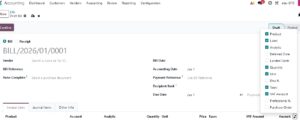
Go to Accounting → Customers → Invoices /vendor→ Invoices
Click New
Select Customer /vendor
Under Invoice Lines, click Add a line
if Product column is missing then click on the double arrow shown next to last column and Tick product
Start typing product name
Select from dropdown
Quantity, Price, Tax will auto-fill
Save → Post
📌 Odoo automatically pulls:
Price from product
VAT from product
Income account from product/category